SQL
[MySQL] Day 10. AUTO_INCREMENT attribute
Chan Lee
2025. 4. 6. 14:15
AUTO_INCREMENT attribute can be applied to a column that is set as a key.
Whenever we insert a new row, the primary key will be populated automatically.
Let's re-create the transactions table that we created before.
DROP TABLE transactions;

CREATE TABLE transactions(
    transaction_id INT PRIMARY KEY AUTO_INCREMENT,
    amount DECIMAL(5, 2)
);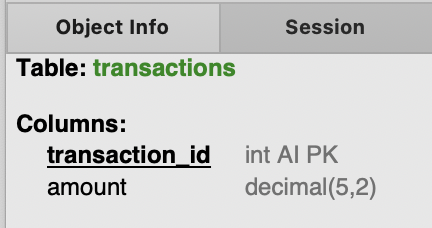
We can verify AUTO_INCREMENT attribute applied in the object info.
Now transaction_id column will start from data of 1, and incremenet by 1 each row.
Let's try inserting a row.
INSERT INTO transactions (amount)
VALUES (4.99);

SELECT * FROM transactions;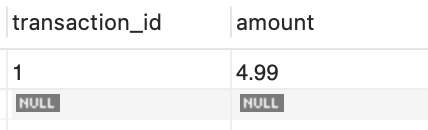
Let's adding 2 more rows.
INSERT INTO transactions (amount)
VALUES (2.89), (1.99);

SELECT * FROM transactions;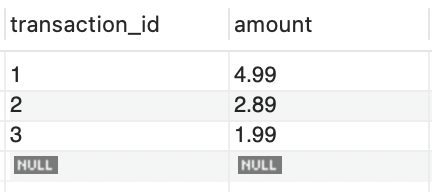
It will continue to increment by 1 for each new row insertions.
We can also set the starting number of the AUTO_INCREMENT.
Let's drop all the rows first, and type following:
DELETE FROM transactions;

ALTER TALBE transactions
AUTO_INCREMENT = 1000;
Now let's try adding some rows to check how it has changed now.
INSERT INTO transactions(amount)
VALUES (1.49), (2.49), (3.49), (4.49);

SELECT * FROM transactions;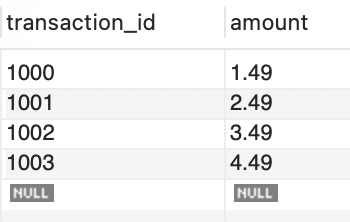
여전히 increment는 1씩 되지만, 시작 지점이 1000으로 바뀐 것을 확인할 수 있습니다.