[MySQL] Day 13. FUNCTIONS
A function is a stored program that you can pass a parameters into to return a value.
There are lots of functions offered by MySQL that can be found in following reference manual.
MySQL :: MySQL 8.4 Reference Manual :: 14.1 Built-In Function and Operator Reference
14.1 Built-In Function and Operator Reference The following table lists each built-in (native) function and operator and provides a short description of each one. For a table listing functions that are loadable at runtime, see Section 14.2, “Loadable F
dev.mysql.com
We will take a look into few useful functions from all those.
1. COUNT( )
The COUNT() function returns the number of rows that matches a specific criterion.
Consider following transactions table.

We can see that there are 5 rows in the table currently.
We can count the total number of rows by:
-- SELECT COUNT(column_name)
-- FROM table_name
-- WHERE condition;

SELECT COUNT(amount)
FROM transactions;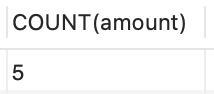
Let's check how many rows are there for customer_id = 3
SELECT COUNT(amount)
FROM transactions
WHERE customer_id = 3;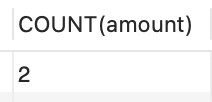
It matches our expectation.
Now, this is not necessary step but COUNT(amount) is not a very great name.
We can actually rename those COUNT columns by using AS keyword with custom string.
SELECT COUNT(amount) AS "# of rows"
FROM transactions;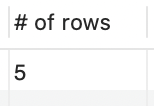
Or simply like this
SELECT COUNT(amount) AS count
FROM transactions;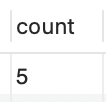
2. MIN( ) and MAX( )
The MIN() and MAX()function returns the smallest and the largest value of the selected column, respectively.
SELECT MIN(amount) AS "Smallest Transaction"
FROM transactions;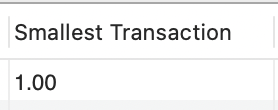
SELECT MAX(amount) AS "Maximum Transaction"
FROM transactions;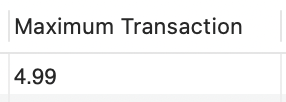
3. AVG( )
The AVG() function returns the average value of the column.
SELECT AVG(amount) AS "Average Transaction Amount"
FROM transactions;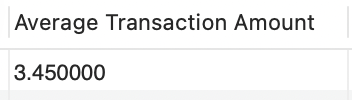
4. SUM( )
The SUM() function returns the sum of the all values of the column.
SELECT SUM(amount) AS "Total Transaction Amount"
FROM transactions;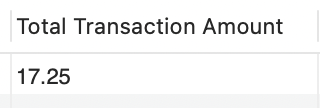
5. CONCAT( )
The CONCAT() string function adds two or more expressions together.
-- Syntax: CONCAT(expression1, expression2, expression3,...)

SELECT CONCAT(first_name, " ", last_name) AS "Full Name"
FROM employees;
There are numerous useful functions available for MySQL, but these are some basic functions that are useful to beginners!